How to Maximize Your Unit Profile on MilSim Units to Attract More Recruits
Want more recruits to find and join your unit? A fully optimized profile on MilSim Units can make all the difference. This guide walks you through every key section, from the new operation scheduler and tags to writing a killer description, so your unit stands out and attracts the right players.
May 21, 2026
How to Maximize Your Unit Profile on MilSim Units to Attract More Recruits
Your unit profile is your storefront — make it impossible to scroll past.
In a directory full of hundreds of milsim units, having a complete, professional, and highly visible profile can be the difference between getting a steady flow of quality recruits or staying invisible.
Here’s a complete guide on how to fully optimize your unit profile on the MilSim Units platform so you stand out and get seen by the right players.
Why Your Profile Matters More Than Ever
Potential recruits usually start by filtering for their game, then by schedule and playstyle. If your profile is incomplete or looks unprofessional, they’ll simply move on to the next one.
A fully optimized profile:
- Ranks higher in search and filtered results
- Builds instant credibility
- Converts more visitors into Discord joins and applications
Step-by-Step: How to Create a Killer Unit Profile
1. Complete All Required Fields (The Bare Minimum)
Make sure you have:
- Unit Banner (recommended dimensions for best display)
- Unit Insignia / Logo
- Unit Tag (short abbreviation of your name)
- Supported Games
- Platform(s) — PC, PlayStation, Xbox (very important for filtering)
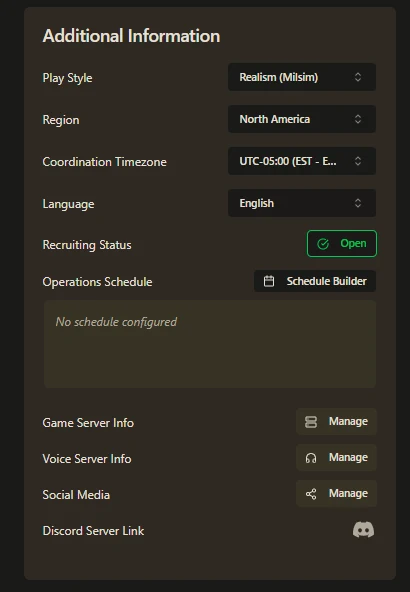
2. Fill Out the “Additional Information” Section (This is where you shine)
- Playstyle — Choose Realism (Milsim), Semi-Realism, Relaxed, etc.
- Region — Main continent your unit is based in
- Coordination Timezone — The primary timezone you run events in
- Primary Language
- Recruiting Status — Open or Closed
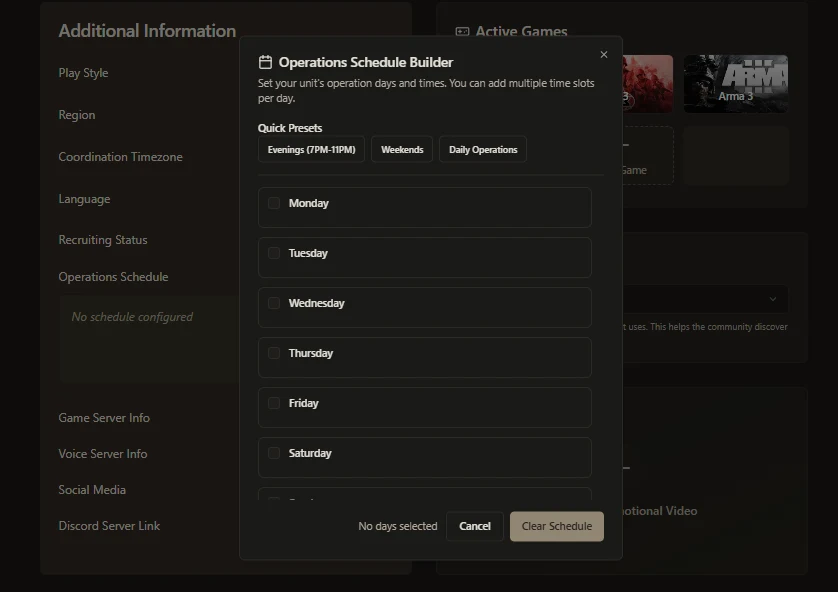
- Operation Schedule Builder ← Extremely Important - Select the days and times you run training and operations (based on your set coordination timezone). This directly feeds into the powerful new filtering system - players searching for specific playtimes will find you easily.
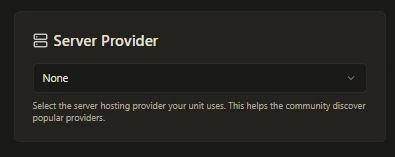
Pro Tip: Don't forget to select a server provider; this helps other units know how many units across the platform trust that provider with their servers!
3. Add Supporting Details
- Game Servers — Add your server name, type, connection info, and notes
- Voice Comms — Discord + any others (TeamSpeak, etc.)
- Social Media Links — Up to one per platform (auto-detects with URL paste)
- Introduction Video — Paste a YouTube link to a cinematic trailer or recruitment video (displays directly on your profile)
- Application URL — Direct link to your enlistment form or website
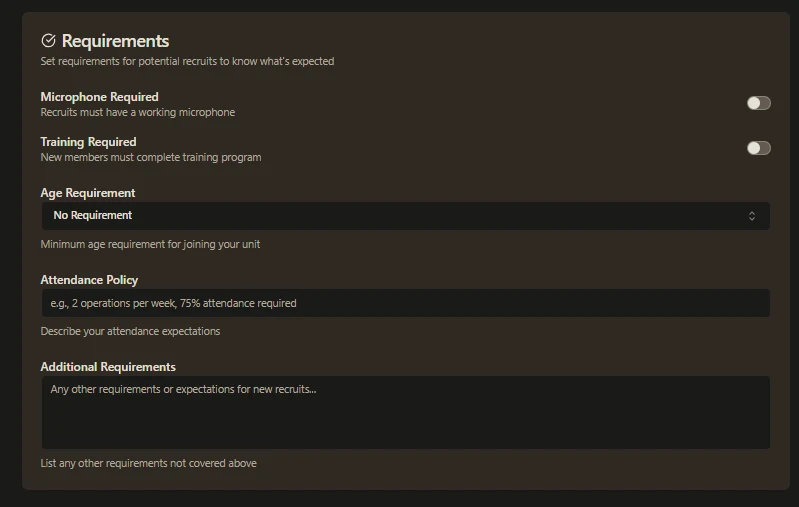
4. Set Clear Unit Requirements
Be upfront so you attract the right people:
- Microphone required?
- Minimum age?
- Mandatory training or selection process?
- Attendance expectations?
- Any other rules
Clear expectations = better recruits and fewer headaches later.
5. Write a Strong Detail Unit Description
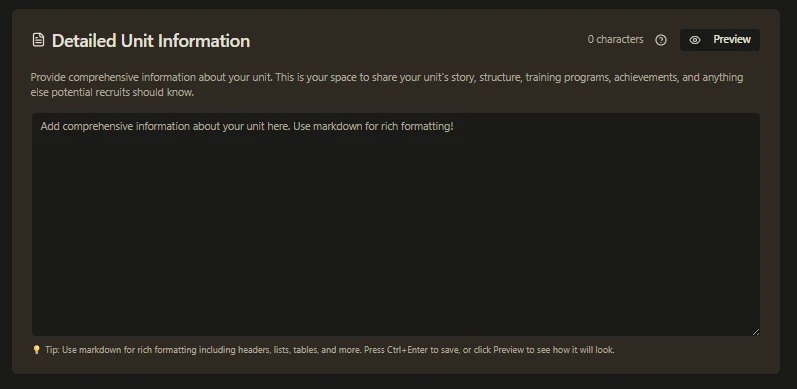
This is your chance to tell your unit’s story. Use the large markdown-enabled section to cover:
- Unit history and philosophy
- Leadership structure
- Training program
- What makes your unit unique
- What new members can expect
Pro Tip: Use headings, bullet points, and bold text to make it easy to read. Preview before publishing.
6. Final Touches
- Write a short unit description at the top of your profile (appears on banners and listings) — make it punchy and inviting.
- Add up to 10 relevant tags (this massively improves discoverability via the filtering system).
- Add unit Streamers (available on Tier 1+ subscriptions) — great for extra exposure.
Make Your Profile Visible
- Set your profile to Published — only published profiles appear in searches.
- Add additional Managers so your team can help maintain the profile.
- Encourage every member to vote daily for your unit — votes are the #1 way to climb rankings.
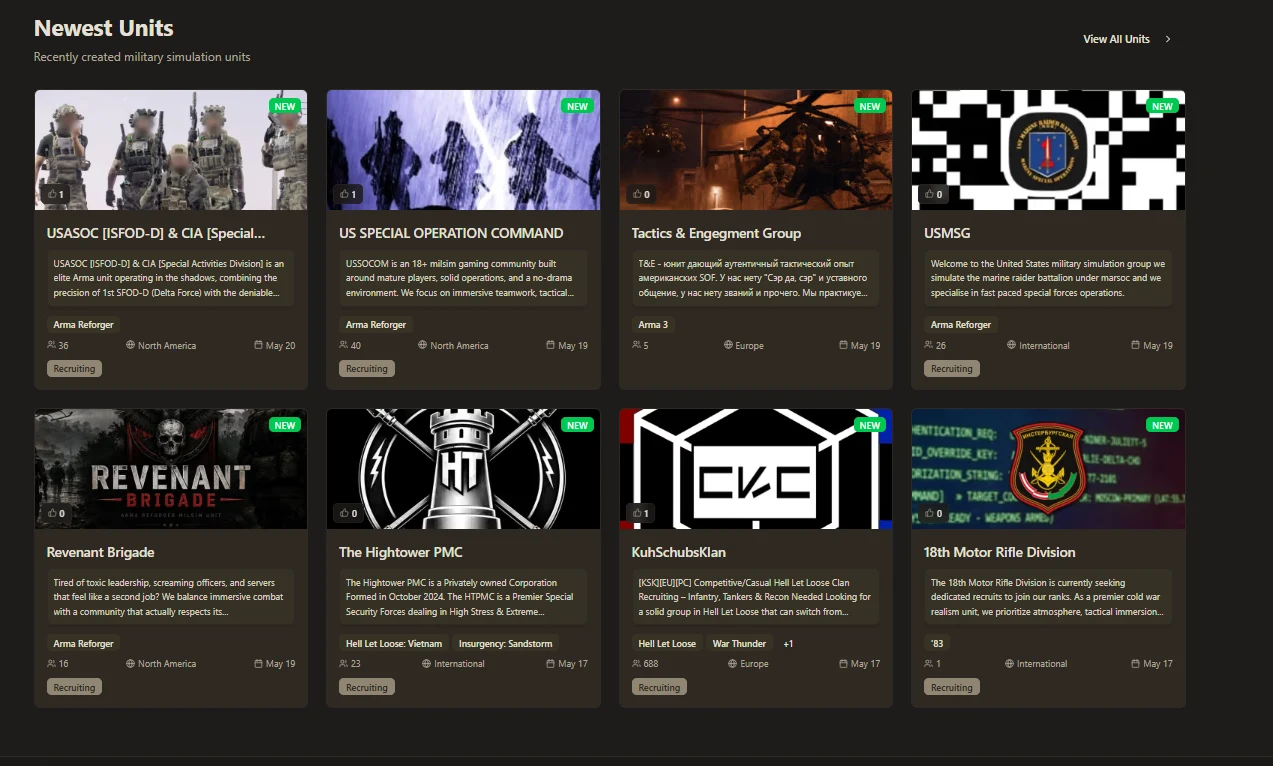
New units get a temporary boost on the homepage until more new profiles are created — take advantage of this early visibility!
Bonus: Level Up with Subscriptions
If you want even more exposure, check out the subscription tiers. Benefits include:
- Higher visibility in listings
- Featured placement options
- Streaming page exposure
- Custom URL and more
During verification, you can ask for a discount promo code to give it a try.
Final Checklist for Maximum Visibility
- Complete banner + logo
- Fill operation schedule
- Add all socials + Discord (permanent link!)
- Write detailed description + short pitch
- Set clear requirements
- Add relevant tags
- Publish the profile
- Get your members voting daily
- Share your profile link everywhere
A well-optimized profile is one of the easiest and most effective ways to grow your unit in 2026.
Take 15-20 minutes today to update everything. The difference in recruitment quality and quantity will be noticeable within weeks.
Ready to maximize your unit?
Go to My Units → Edit Profile and start optimizing right now.
Have questions or want feedback on your profile? Drop your unit name in the comments or open a support ticket in our Discord.
Check out the full breakdown on Unit Profile Creation
Let’s get your unit the visibility it deserves.
— MilSim Units Team
Comments (0)
Sign in to join the discussion.
Be the first to comment.